How to Plan a Track Toy Demo for a Small Retail Display
A useful track toy demo starts with the available space, the exact set and a layout that store teams can rebuild and explain.
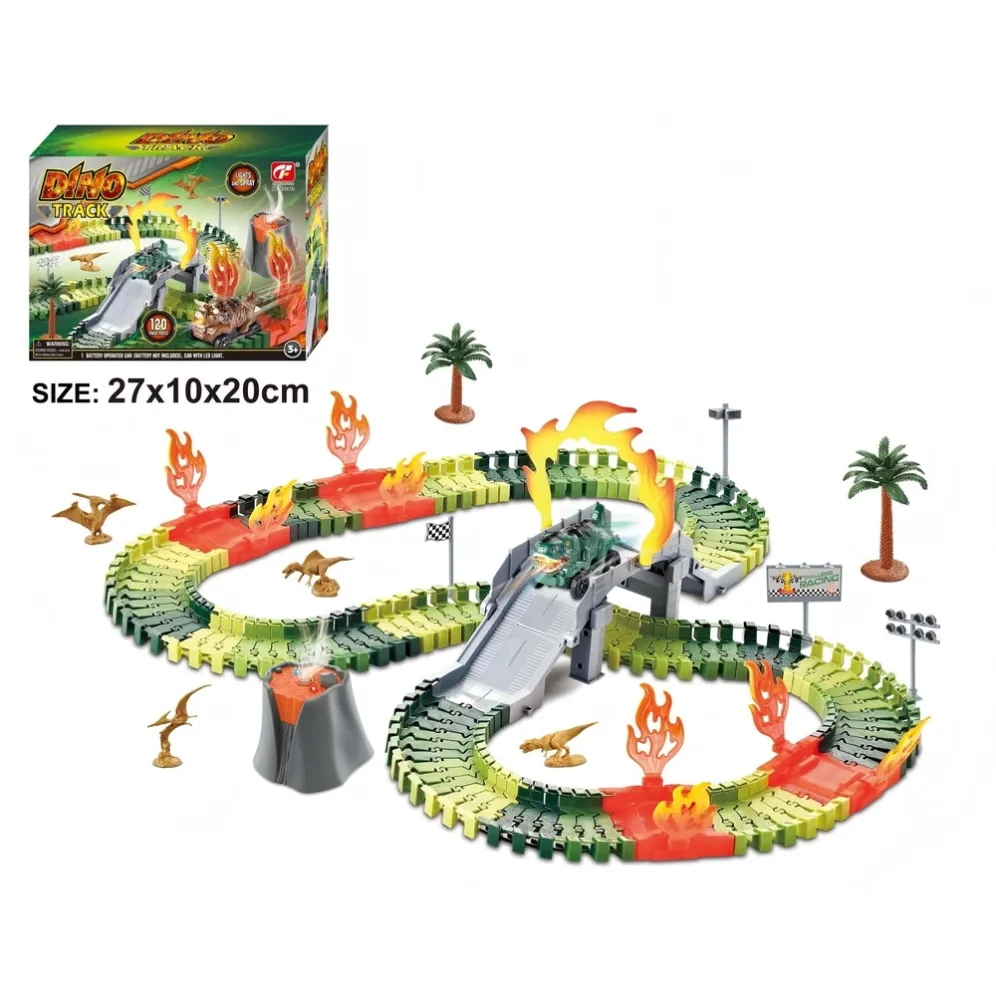
A track toy can look compact in its box and still need more room when assembled. For a retail buyer, this creates a practical question: can the store show the toy clearly in the space it has?
Before choosing a demonstration set, agree on the display area, the layout and the work needed to keep it ready. A simple plan gives the buying team and store staff the same reference.
Start with the actual display space
Measure the usable width, depth and height of the proposed table or display area. Include space for the product card and for staff to reach the vehicle and track.
Also record the conditions around the display:
- Where will shoppers stand?
- Can staff reach all parts without moving other products?
- Where will the retail boxes be placed?
- Will the demonstration stay assembled overnight?
- Who will set it up and check it during the day?
Take a photo of the empty area with its measurements. This gives a supplier a clearer starting point than a request for a “small display set.”
Build the layout from the selected set
Ask for a demonstration layout using the exact contents of the item under review. Keep the item reference, component list and layout photograph together.
The displayed layout should represent what the buyer will receive. If extra vehicles, track sections or scenery are added for presentation, identify them clearly in the planning record and shopper information.
Check the assembled sample within the measured area. Record the space needed by the track, scenery and moving vehicle. A catalogue photograph alone does not establish the assembled dimensions.
For a compact display, consider whether a simpler layout can explain the product clearly. Any alternative arrangement should follow the selected item’s instructions and be checked with its actual components.
Give the demonstration one clear purpose
Decide what a shopper should understand after watching the display. The purpose might be to see how the vehicle moves around the track or how the themed accessories relate to the layout.
Keep the explanation connected to features observed on the selected sample. Avoid adding functions to the sales card because they appear on a similar set.
The MIYTOYS electric track toy collection includes dinosaur, construction and pink themes. A theme can guide the visual presentation; the exact item determines the parts and functions available for the demonstration.
Make the daily reset practical
Ask a store team member to assemble and reset the proposed display using the supplied instructions. Note where they need help, which parts are easy to misplace and how they identify the correct vehicle.
Prepare a short staff sheet containing:
- The item reference and a photo of the complete layout.
- The parts required for the demonstration.
- The checked starting and stopping steps.
- Battery information taken from the selected item’s instructions.
- The location of stored parts and the person responsible for the display.
Follow the product instructions and the store’s rules for demonstrations. Keep any observed problem in the review record so it can be resolved before the display is used.
Approve a display record before ordering
Bring the measurements, layout photo, component list and staff sheet into one dated record. Add any changes requested by the retailer.
This record should show whether the selected set fits the intended space, which features the demonstration has checked, and what staff need to operate it. Repeat the review if the product configuration or display area changes.
Send your available display space, target market and preferred theme to MIYTOYS to start a focused product discussion.